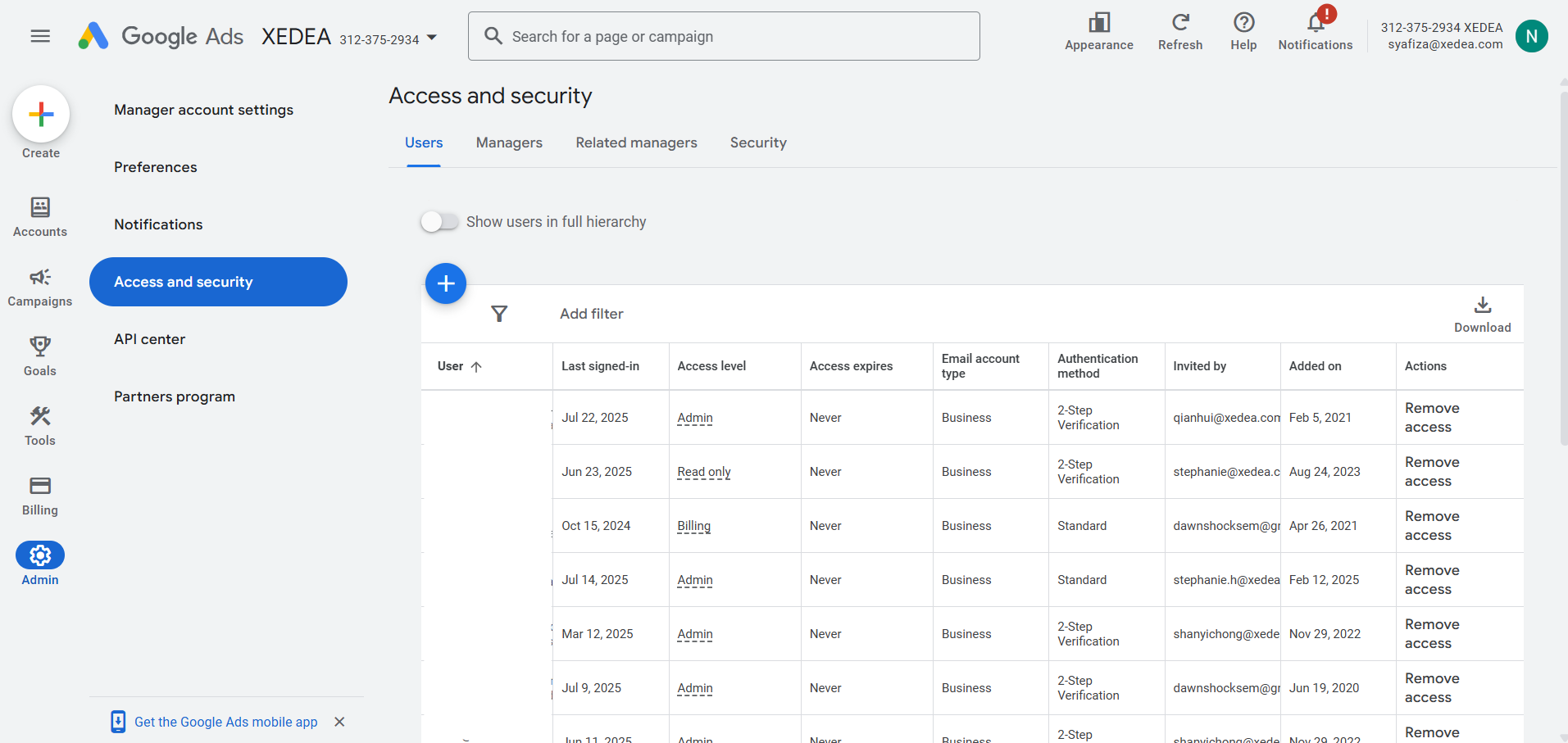
Step 1: Log In to Google Ads
- Click on the “Admin” in the left menu
- Click “Access and Security”
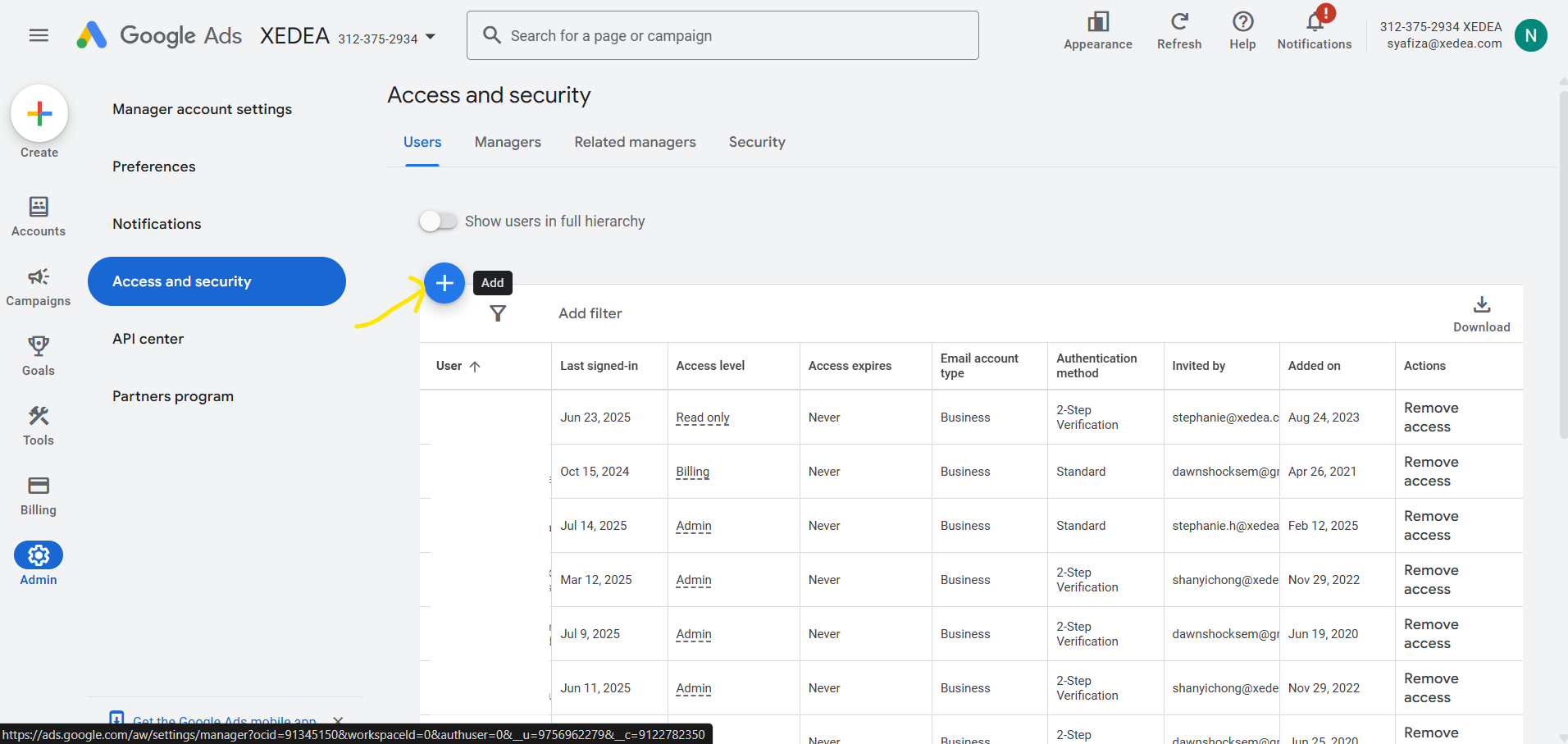
Step 2: Invite New User
- Select the connected pixel in the Tracking Pixels section, click the Ads Integration tab, and copy the UTM Tracking Template
- Log in to your Meta Ads Manager and navigate to the campaign level
- Access the option to add URL parameters
- Paste the tracking template. It includes all necessary parameters, such as ad set name, ad ID, and campaign ID
- Proceed to verify your ads
Step 3 – Send Invitation
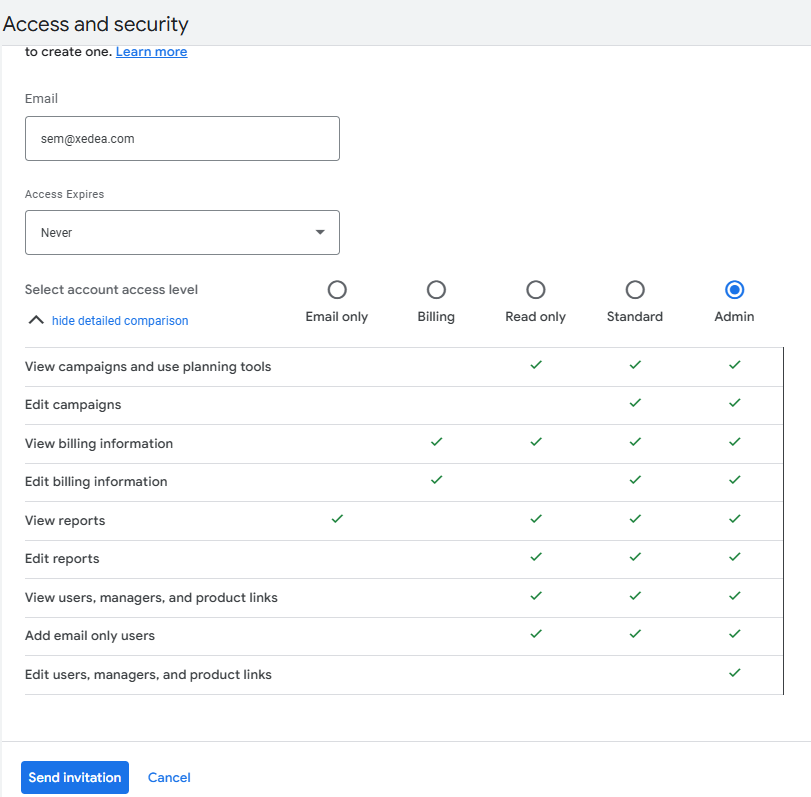
- Enter the user’s email address
- Choose the access level: Admin
- Click Send Invitation
Was this guide helpful?